


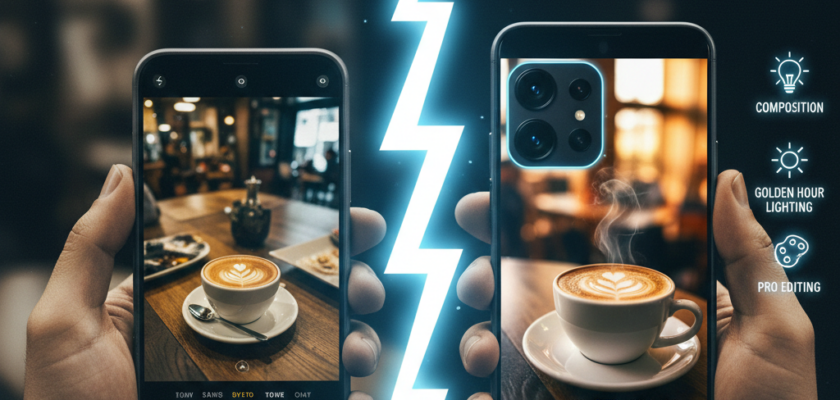
How to Capture Professional Photos Using Just Your Smartphone (2026 Edition)
Gone are the days when professional photography demanded bulky DSLRs and expensive lenses. In 2026, modern smartphones are equipped with incredibly powerful cameras, advanced AI processing, and a suite of editing tools that put professional-grade imagery within everyone’s reach. Whether you’re an aspiring influencer, a small business owner, or just want to capture life’s moments beautifully, your smartphone is often all you need.
Here’s how to elevate your mobile photography from casual snapshots to truly professional-looking images.
1. Master the Basics of Composition: It’s All About the Eye
Even the best camera can’t fix poor composition. These fundamental rules apply to all photography.
- Rule of Thirds: Imagine your screen divided into nine equal segments by two horizontal and two vertical lines. Place your subject or points of interest along these lines or at their intersections for a more dynamic and balanced shot.
- Leading Lines: Use natural lines in your environment (roads, fences, rivers) to draw the viewer’s eye towards your subject.
- Symmetry & Patterns: Look for repeating patterns or symmetrical elements that create visual appeal.
- Framing: Use natural frames like doorways, windows, or tree branches to frame your subject and add depth.
2. Optimize Your Lighting: Light is Your Best Friend
Photography literally means “drawing with light.” Good lighting can transform any shot.
- Natural Light is King: Always try to use natural light. Overcast days provide soft, even light perfect for portraits. Golden hour (just after sunrise or before sunset) offers warm, flattering tones.
- Avoid Harsh Midday Sun: Direct overhead sun creates harsh shadows and blown-out highlights. If you must shoot, find open shade.
- Backlighting (Used Wisely): Can create beautiful silhouettes or rim lighting effects, but expose for the subject’s face if you want detail.
- Use Reflectors (DIY): A white piece of cardboard or even a white shirt can bounce light back onto your subject, filling in shadows.
3. Understand Your Smartphone Camera’s Features (2026 Smart Tech)
Modern phone cameras are packed with features far beyond “point and shoot.”
- Pro/Manual Mode: Many phones now offer manual controls for ISO, shutter speed, white balance, and focus. Learning these gives you immense creative control.
- RAW Capture: If available, shoot in RAW. It captures more image data, giving you much greater flexibility during editing.
- Lens Options: Utilize your phone’s multiple lenses (wide-angle, telephoto, macro) for different perspectives. Avoid digital zoom as much as possible, as it degrades image quality.
- Night Mode & Computational Photography: Modern phones excel in low light. Learn to use your device’s dedicated Night Mode and understand how it uses computational photography to fuse multiple exposures for stunning results.
4. Stabilize Your Shot: Eliminate Blur
Even a slight shake can ruin a photo.
- Use Both Hands: The simplest stabilization method.
- Lean on Something: A wall, a tree, or any sturdy surface can provide support.
- Tripod/Gimbal: For serious mobile photography, a small smartphone tripod or a gimbal (for video) is an inexpensive game-changer for sharp images and smooth footage.
- Burst Mode: For moving subjects, use burst mode to capture several shots quickly, increasing your chances of getting a sharp one.
5. Edit Like a Pro (On Your Phone!): The Final Polish
Editing is where your photos truly come to life and achieve a professional look.
- Powerful Editing Apps: Apps like Adobe Lightroom Mobile, Snapseed, VSCO, and PicsArt offer desktop-level editing capabilities directly on your phone.
- Key Adjustments:
- Crop & Straighten: Refine your composition.
- Exposure & Contrast: Adjust brightness and dynamic range.
- Highlights & Shadows: Recover detail in bright or dark areas.
- White Balance: Ensure colors are accurate.
- Sharpening & Noise Reduction: Enhance detail and clean up grain.
- Color Grading: Use saturation, vibrance, and hue adjustments to create a consistent mood or style.
- Develop a Style: Consistent editing can help you develop a recognizable visual style, which is a hallmark of professional work.
Smartphone Photography Pro Checklist (2026)
| Skill Area | Key Action | Benefit |
| Composition | Rule of Thirds, Leading Lines | Visually appealing, dynamic shots |
| Lighting | Use Natural Light, Golden Hour | Flattering, high-quality images |
| Camera Features | Manual Mode, RAW, Multiple Lenses | Creative control, maximum data |
| Stabilization | Two Hands, Tripod, Burst Mode | Sharp, blur-free photos |
| Editing | Apps like Lightroom Mobile, Snapseed | Polished, professional final look |
Conclusion
Your smartphone is a sophisticated camera capable of incredible things. By understanding basic photography principles, leveraging your device’s advanced features, and dedicating time to thoughtful editing, you can consistently capture stunning, professional-quality photos without investing in expensive gear. In 2026, the best camera is truly the one you have with you – and with these tips, it’s more powerful than ever.
What’s your favorite smartphone photography trick? Share your go-to editing app in the comments below!How to Capture Professional Photos Using Just Your Smartphone (2026 Edition)


