
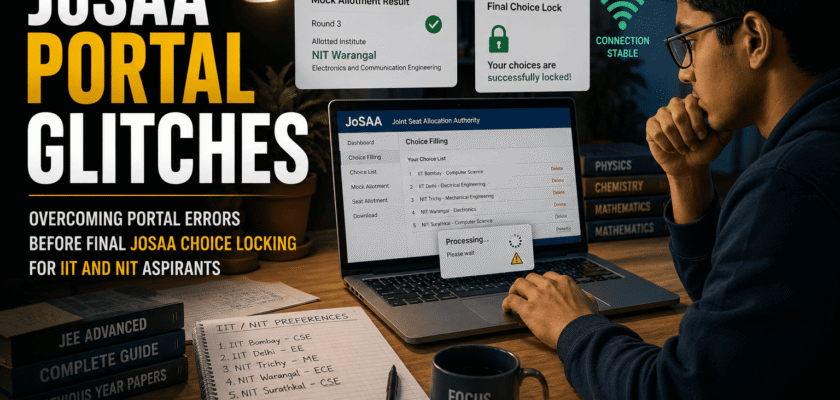
JoSAA Portal Glitches: Why the Final 48 Hours Matter
JoSAA portal glitches become most dangerous near the final choice-locking deadline because thousands of candidates may log in at the same time. A slow page, unsaved preference or failed OTP can create panic when every minute matters.
The safest strategy is simple: finish major edits early, save after every change, keep screenshots and avoid waiting until the final hour.
JoSAA manages admissions to 138 institutes in 2026, including 23 IITs, IISc Bengaluru, 31 NITs, IIEST Shibpur, 26 IIITs and 56 other GFTIs. That scale explains why the portal can face heavy traffic during peak periods.
What Mock Seat Allocation Actually Tells You
Mock seat allocation is only a simulated result based on the choices saved by a specified cut-off time.
It can help you:
- Check whether your preference order is realistic
- Identify branches that may be too ambitious
- See whether safer options are placed too low
- Compare IIT and NIT possibilities
- Understand category and quota effects
- Reorder choices before final locking
It does not guarantee the same seat in the actual allocation.
Why High-Rank Aspirants Still Make Choice-Filling Mistakes
A strong rank does not automatically create a strong choice list.
Common mistakes include:
- Placing a less-preferred branch above a dream option
- Copying last year’s cut-offs without checking personal preference
- Ignoring home-state quota
- Forgetting dual-degree options
- Selecting too few choices
- Mixing IIT and NIT priorities without a clear plan
- Locking before reviewing mock allotment
- Depending only on coaching predictions
The order must reflect your true preference, not only probability.
Glitch 1: Login or OTP Not Arriving
If OTP is delayed:
- Check registered email and mobile
- Check spam or junk folder
- Wait before repeated resend attempts
- Use a stable network
- Confirm that the registered number is active
- Avoid sharing OTP with anyone
JoSAA’s official login page warns candidates not to share OTP used for password reset or account activity.
Glitch 2: Page Loading Slowly
A slow portal often happens during peak traffic.
Try:
- Logging in during early morning or late evening
- Using a laptop instead of a mobile browser
- Switching to a stable broadband connection
- Closing unnecessary tabs
- Clearing browser cache
- Using an updated browser
- Avoiding repeated refreshes during saving
Repeated clicking can sometimes create duplicate actions or session expiry.
Glitch 3: Choice Order Not Updating
After dragging or moving choices:
1. Recheck the visible order
2. Click save
3. Wait for confirmation
4. Log out
5. Log in again
6. Verify that the order remains unchanged
7. Take a screenshot
Never assume the new order is saved only because it appears on the screen.
Glitch 4: Session Expiry
Long inactive periods may end the session.
To avoid losing work:
- Prepare your order offline first
- Make smaller batches of edits
- Save frequently
- Do not keep the portal open for hours
- Keep login details ready
- Avoid editing from multiple devices simultaneously
An offline spreadsheet or notebook prevents rushed decision-making after a session timeout.
Glitch 5: Browser Back Button Problems
Avoid relying on the browser’s back button inside the counselling portal. It can reload an old page or break the current session.
Use the portal’s own navigation buttons whenever possible.
If the page behaves strangely:
- Stop editing
- Log out safely
- Close the browser
- Reopen the official portal
- Verify saved choices before continuing
Glitch 6: Manual Locking Fails
If manual locking does not complete:
- Confirm whether locking has officially opened
- Check that all required steps are complete
- Retry on a stable network
- Save the latest choice order
- Capture screenshots
- Avoid repeated changes after deciding the final order
- Contact official JoSAA support if the error continues
According to current 2026 counselling guidance, the last saved choices are expected to be auto-locked if a candidate does not manually lock before the deadline. Still, manual confirmation is safer when the option is available.
Why Screenshots Are Essential
Take screenshots of:
- Final choice list
- Saved confirmation
- Locking confirmation
- Error message
- Date and time
- Mock allotment result
- Registration status
Screenshots cannot change the official record, but they can help explain a technical issue to support teams.
Use the Second Mock Allocation Carefully
Mock Seat Allocation 2 is scheduled for June 10 and is based on choices saved up to June 9 at 5:00 PM.
After viewing it, ask:
- Did the mock result improve?
- Is the allotted option truly acceptable?
- Are dream choices still above realistic choices?
- Are backup options sufficient?
- Did you accidentally remove any important branch?
- Is the list too narrow?
Use the mock result as information, not as a command.
The Dream-Target-Safe Choice Framework
A balanced list can have three layers.
Dream choices:
Institutes or branches slightly above your expected range.
Target choices:
Options close to your rank and recent cut-off trends.
Safe choices:
Programs where your rank is comfortably better than past closing ranks.
Place all choices in true preference order. Do not place a safe option above a dream option only because it looks more likely.
How to Compare Branch vs College
Ask:
- Would I study this branch for four years?
- Does the institute allow branch change?
- What are the course subjects?
- What career paths does it support?
- Do I prefer institute brand or subject interest?
- Is location important?
- What are fees and hostel conditions?
- Is a dual degree acceptable?
There is no universal answer. The right order depends on your goals.
Use Previous Opening and Closing Ranks Correctly
JoSAA provides previous-year opening and closing ranks.
Remember:
- Open-seat ranks use CRL
- EWS, OBC-NCL, SC and ST seats use category ranks
- PwD ranks are considered within the relevant category
- Home-state and other-state quotas differ
- Cut-offs change every year
Past ranks are a guide, not a guarantee.
Why You Should Fill More Choices
Candidates can add many choices. A longer valid list reduces the risk of ending without a seat.
Add every option you would genuinely accept.
Do not add a course you would definitely reject later. But do not keep the list so short that one cut-off change removes all possibilities.
Final Choice-Locking Checklist
Before locking:
1. Confirm personal details
2. Review every institute and branch
3. Remove unacceptable choices
4. Check order from top to bottom
5. Confirm category and quota assumptions
6. Review both mock allocations
7. Save the list
8. Log in again and verify
9. Download or print the choice list if available
10. Lock only after final family discussion
After locking, changes are generally not allowed.
Avoid These Final-Day Mistakes
Do not:
- Wait until 4:55 PM
- Use public Wi-Fi
- Depend only on a mobile phone
- Edit from two devices
- Share login credentials
- Trust unofficial links
- Lock without rechecking
- Delete backup choices emotionally
- Ignore mock-allotment clues
- Assume auto-lock means your list is perfect
What to Do If the Portal Fails Near the Deadline
Take these steps:
- Record the exact error
- Take screenshots
- Note time and device
- Try a different browser
- Try a different network
- Verify saved choices after login
- Use official helpdesk contacts
- Avoid social-media rumours
- Keep checking official notices
Do not create multiple accounts or use unofficial counselling websites.
After Choice Locking
Once choices are locked:
- Download confirmation
- Keep login details secure
- Prepare documents
- Arrange seat-acceptance funds
- Understand Freeze, Float and Slide
- Watch the official schedule
- Check allotment results only on the official portal
The next stage is seat allocation and online reporting.
Freeze, Float and Slide in Simple Words
Freeze:
Accept the allotted institute and branch and stop seeking upgrades.
Float:
Accept the current seat but remain eligible for a higher-preference choice in later rounds.
Slide:
Accept the institute but seek a higher-preference branch within the same institute.
Choose carefully because the option affects later rounds.
Documents to Prepare Early
Keep scanned and original copies of:
- JEE Main or JEE Advanced documents
- Class 10 certificate
- Class 12 marksheet
- Category certificate
- PwD certificate if applicable
- Passport-size photograph
- Identity proof
- Medical certificate
- Seat-allotment letter
- Payment receipt
Follow the official document list for your institute type.
Final Verdict
JoSAA portal glitches are manageable when candidates work early, save often and verify every important step.
Mock allotments should be used to improve strategy, not create panic. The final list should include dream, target and safe choices in true preference order.
In simple words, the best pre-allocation strategy is not to predict every cut-off perfectly. It is to build a complete, honest and carefully saved preference list before the portal becomes crowded.
Finish major edits before the last day, keep screenshots and lock only after a final review.


