

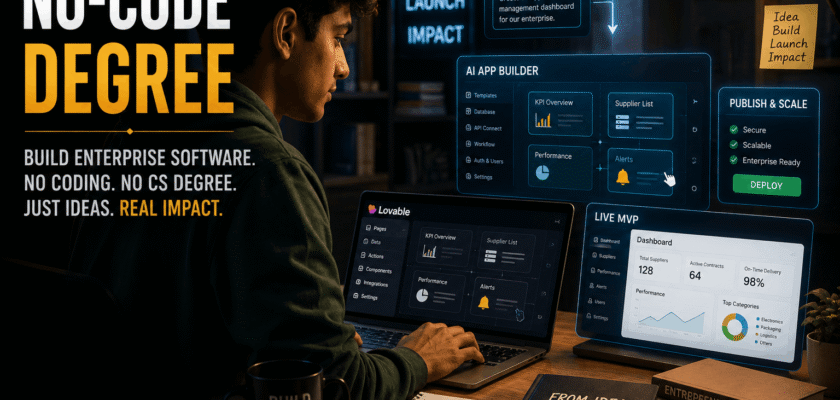
No-Code Degree: Why Software Building Is No Longer Only for CS Students
No-code degree is becoming a powerful education idea because students can now build apps, websites, dashboards, internal tools, and software prototypes without following the traditional computer science path. Earlier, a student needed years of coding practice, data structures, frameworks, hosting knowledge, and debugging skills before building useful software.
Now, AI no-code and low-code tools are changing that journey. Platforms like Lovable, Figma Make, Replit, Bolt, Bubble, Glide, and others are making software creation more visual, conversational, and prompt-based.
This does not mean computer science is useless. It means software creation is becoming more accessible.
Therefore, the no-code degree is not a replacement for deep engineering. It is a new skill gateway for students who want to solve real problems faster.
Why No-Code Degree Matters in 2026
No-code degree matters because the software market needs more builders than traditional education can produce. Every business now needs digital tools. Colleges need portals. Small businesses need dashboards. Startups need MVPs. Creators need landing pages. Local shops need booking systems.
Gartner’s low-code forecast abstract says the low-code development technologies market is projected to reach $58.2 billion by 2029, with agentic AI, citizen development, and operational excellence as key drivers.
This shows the trend is not small.
Students who learn no-code and AI-assisted building can become useful faster, even before they become expert programmers.
In simple words, the no-code degree gives students a way to move from “I have an idea” to “I built a working product.”
What Is a No-Code Degree?
A no-code degree is not an official university degree in most cases. It is a practical learning path where students learn to build software using no-code, low-code, AI app builders, databases, automations, APIs, workflows, and product thinking.
It can include:
- App building
- Website building
- Database design
- Workflow automation
- UI design
- API integration
- AI prompt design
- Basic security awareness
- Testing
- Product management
The goal is not only to avoid coding. The goal is to build useful digital products.
A no-code student should still understand logic, users, data, privacy, and business needs.
No-Code Degree and Platforms Like Lovable
No-code degree has become more practical because tools like Lovable let users create app interfaces and software workflows with plain-language prompts. Lovable says it helps users build full-stack web apps using AI, and the company announced a $330 million Series B at a $6.6 billion valuation in December 2025.
This matters because investors are not only funding coding tools. They are funding a new builder economy.
Lovable-style platforms help students:
- Turn ideas into apps
- Create prototypes quickly
- Build MVPs
- Test startup ideas
- Learn product logic
- Create portfolio projects
- Build internal tools
- Understand user flows
- Experiment with UI
- Launch faster
This makes software learning more practical and less scary.
Why Students Are Moving Toward No-Code Skills
Students are moving toward no-code skills because traditional coding can feel slow, difficult, and disconnected from real outcomes. Many students want to build something useful quickly.
No-code platforms help students create:
- College event apps
- Attendance dashboards
- Resume websites
- Placement trackers
- Hostel complaint systems
- Small business CRMs
- E-commerce MVPs
- AI chat tools
- Budget trackers
- Portfolio projects
These projects can be shown to recruiters, clients, teachers, and startup mentors.
A working product is often more impressive than only a certificate.
No-Code Skill Gateways: The Real Opportunity
No-code skill gateways allow students from non-CS backgrounds to enter software creation. A commerce student can build an invoice tool. A design student can build a portfolio platform. A marketing student can build a lead dashboard. A healthcare student can build a patient feedback form.
This opens software building to:
- Business students
- Design students
- Marketing students
- Healthcare students
- Education students
- Arts students
- Engineering non-CS students
- Startup founders
- Freelancers
- Creators
The no-code degree works best when students combine domain knowledge with building tools.
A commerce student who understands GST problems may build a better small-business tool than a coder who does not understand the user.
Traditional CS Education Still Matters
Traditional computer science education still matters. Students should not think no-code means engineering knowledge is dead.
CS education teaches:
- Algorithms
- Data structures
- Operating systems
- Networking
- Databases
- Security
- Software architecture
- Testing
- System design
- Performance
These skills are important for complex, scalable, and secure software.
No-code is best for fast building, prototypes, internal tools, and early products. Deep engineering is still needed when systems become large, sensitive, or high-risk.
So, the best future student may be a hybrid builder: no-code speed plus coding understanding.
No-Code Degree vs Computer Science Degree
A no-code degree and a computer science degree serve different needs.
No-Code Degree
Focuses on fast product building, tools, workflows, automation, and practical problem-solving.
Computer Science Degree
Focuses on deep technical foundations, algorithms, systems, programming, and engineering theory.
The difference is simple.
No-code helps you build faster.
CS helps you understand deeper.
Students should not treat them as enemies. They should combine both where possible.
Why AI App Builders Are Becoming Popular
AI app builders are becoming popular because they reduce the gap between idea and execution. Earlier, a student had to learn HTML, CSS, JavaScript, databases, hosting, authentication, and deployment before creating even a simple app.
Now, AI app builders can help generate:
- Frontend layouts
- Forms
- Buttons
- Pages
- Databases
- Authentication flows
- Basic dashboards
- API connections
- Styling
- Deployment steps
Figma’s AI app builder page says Figma Make can help users turn ideas into interactive, data-connected apps and prototypes without coding.
This shows that no-code is also entering mainstream design and product workflows.
Lovable and the Rise of Vibe Coding
Lovable is often connected with the “vibe coding” trend, where users describe what they want and AI helps generate the software. This approach is attractive for students because it feels less technical at the start.
A student can prompt:
“Build a college attendance tracker with student login, teacher dashboard, monthly report, and export button.”
Then the tool can generate a starting version.
However, students must still review the output carefully.
AI can create mistakes. It can miss security rules. It can generate weak database logic. It can make UI look good but fail in real use.
So, vibe coding needs human judgement.
Why No-Code Helps Student Entrepreneurs
No-code helps student entrepreneurs because they can test ideas before spending money on developers. A student founder can build an MVP and show it to users, teachers, investors, or local businesses.
No-code can help with:
- Faster MVPs
- Lower startup cost
- User testing
- Landing pages
- Payment forms
- Booking systems
- Community platforms
- Dashboards
- Feedback tools
- Demo products
This is powerful because many startup ideas fail before they need full engineering.
No-code helps students test demand first.
Enterprise Software Without Traditional CS Education
Enterprise software without traditional CS education sounds bold, but it is becoming possible for simple and medium-complexity use cases. Students can build internal tools for workflows, reports, approvals, CRM, inventory, HR, and project tracking.
Examples include:
- Lead management dashboard
- Inventory tracker
- Employee onboarding portal
- Complaint management system
- Invoice approval workflow
- Appointment booking tool
- Attendance analytics dashboard
- Sales report generator
- Customer feedback platform
- Document request tracker
These are real business tools.
They may not replace large enterprise systems, but they can solve many operational problems.
Why Businesses Like No-Code Builders
Businesses like no-code builders because they reduce dependency on overloaded IT teams. A marketing team may need a campaign dashboard. A college office may need a form system. A small business may need customer tracking.
No-code tools help teams move faster.
They can reduce:
- Development delay
- Prototype cost
- Manual Excel work
- Repetitive tasks
- IT backlog
- Paper processes
- Approval delays
- Data entry errors
- Communication gaps
- Small workflow problems
This is why citizen development is growing.
Citizen developers are non-professional developers who create tools using approved platforms.
Citizen Development and Student Careers
Citizen development can become a career path for students. A student does not need to become a full software engineer immediately to create value. They can become a no-code builder, automation specialist, product operator, AI workflow designer, or business systems analyst.
Possible career roles include:
- No-code developer
- Low-code developer
- Automation specialist
- AI workflow builder
- Product operations associate
- Business analyst
- CRM builder
- Internal tools developer
- Startup MVP builder
- Digital transformation assistant
These roles can be useful for students who enjoy problem-solving but do not want a pure coding career.
What Students Must Learn Beyond Tools
Students should not only learn tools. Tools change quickly. Skills stay longer.
A strong no-code degree should teach:
- Problem identification
- User research
- Process mapping
- Database basics
- UI/UX basics
- Logic building
- API concepts
- Testing
- Security basics
- Documentation
A student who only knows one tool may struggle when the tool changes.
A student who understands systems can learn any tool.
Database Basics Are Still Important
Database basics are very important in no-code building. Many no-code apps fail because the builder does not understand how data should be structured.
Students should learn:
- Tables
- Fields
- Records
- Relationships
- Primary keys
- User roles
- Permissions
- Filters
- Data validation
- Backups
For example, a student building an attendance app must understand the relationship between students, classes, teachers, dates, and attendance records.
Without database thinking, no-code apps become messy.
UI/UX Skills Matter More Than Ever
UI/UX skills matter because no-code tools can create screens quickly, but they do not automatically create good user experience.
Students should learn:
- Simple navigation
- Clear buttons
- Good spacing
- Readable text
- Mobile-friendly design
- Error messages
- Form simplicity
- Accessibility
- User flow
- Visual hierarchy
A beautiful app that confuses users is still a bad app.
No-code builders must think like product designers.
Prompting Is a New Builder Skill
Prompting is now a builder skill. If students use AI app builders, they must learn how to describe requirements clearly.
A good prompt includes:
- App purpose
- User roles
- Main pages
- Data fields
- Actions
- Rules
- Design style
- Security needs
- Output format
- Test cases
Weak prompt:
“Make an attendance app.”
Better prompt:
“Create a mobile-friendly attendance app for college teachers. Include teacher login, class list, student list, date-wise attendance marking, monthly report, and CSV export.”
Clear prompts produce better apps.
Testing Is Non-Negotiable
Testing is non-negotiable because AI-generated and no-code apps can still break. Students must test every important flow before showing the app to users.
A 2026 ITPro report says many enterprises are shipping large volumes of untested AI-generated code, and experts warn this can create security and financial risks.
Students should learn this early.
Test:
- Login
- Forms
- Buttons
- Database saving
- User permissions
- Mobile view
- Error messages
- Payment flow
- Export feature
- Delete actions
No-code does not remove the need for quality.
Security Basics for No-Code Students
Security basics are important because no-code apps can still handle real data. If students build apps for college, clients, or businesses, they must protect user information.
Students should understand:
- Password safety
- User roles
- Data permissions
- Private vs public pages
- Secure forms
- Payment safety
- Backup
- API key protection
- Access logs
- Data deletion
A no-code app can cause harm if private data becomes public.
Security is not only for coders. It is for every builder.
Vendor Lock-In Risk
Vendor lock-in is a real risk in no-code platforms. If a student builds everything on one platform, moving away later can be difficult.
A 2026 academic paper on low-code and no-code smart web applications notes that many existing low-code platforms are commercial and can create drawbacks such as vendor lock-in and limited extensibility.
Students should understand this before building serious apps.
They should ask:
- Can I export my data?
- Can I export code?
- What happens if pricing changes?
- Can the app scale?
- Can I connect external tools?
- Can I migrate later?
- Who owns the data?
No-code is powerful, but platform choice matters.
Reliability Limits of No-Code AI Tools
No-code AI tools are improving quickly, but they still have limits. A 2025 survey on zero-code LLM-based app development found that these platforms reduce barriers for non-programmers, but still face challenges around flexibility, reliability, scalability, and vendor lock-in.
This is an important lesson.
Students should not blindly trust generated apps.
They should review:
- Logic
- Data handling
- Security
- Performance
- Error cases
- Mobile responsiveness
- User permissions
- Scalability
- Cost
- Maintenance
No-code tools make building easier, not automatic perfection.
No-Code Degree for Non-Technical Students
No-code degree is especially useful for non-technical students. A student from commerce, arts, management, hotel management, healthcare, or education can build digital tools for their field.
Examples:
- Commerce student: GST invoice tracker
- Arts student: portfolio website
- Management student: CRM dashboard
- Healthcare student: appointment form
- Education student: quiz platform
- Hotel management student: booking system
- Marketing student: campaign tracker
- Real estate student: lead management tool
- Fitness student: client progress tracker
- Travel student: itinerary builder
The best apps often come from people who understand the problem deeply.
No-Code Degree for Computer Science Students
Computer science students can also benefit from no-code. They can use no-code tools to prototype faster, test ideas, and understand user needs before writing custom code.
CS students can use no-code for:
- MVP testing
- UI prototyping
- Admin dashboards
- Internal tools
- Client demos
- Rapid experiments
- Workflow mapping
- API testing
- Startup validation
- Hackathon projects
For CS students, no-code is not a shortcut. It is a speed tool.
A smart engineer uses the right tool for the right job.
Portfolio Projects Students Can Build
Students should build real portfolio projects. A certificate is useful, but projects prove ability.
Good no-code portfolio ideas:
- College event registration app
- Local shop inventory tracker
- Student expense tracker
- Placement preparation dashboard
- Resume review platform
- Gym client tracker
- Restaurant booking app
- Complaint management system
- Small CRM for agencies
- Blog content planner
Each project should include a problem statement, screenshots, live link, features, and what the student learned.
This makes the portfolio stronger.
How Teachers Can Use No-Code Tools
Teachers can use no-code tools to make learning more practical. Instead of only giving theory assignments, they can ask students to build small tools.
Teachers can assign:
- Attendance tracker
- Quiz app
- Research survey form
- Library request system
- Internship tracker
- Feedback dashboard
- Budget calculator
- Event planner
- Study timetable app
- Parent communication portal
This improves practical learning.
Students learn by building, not only by reading.
How Colleges Can Create No-Code Labs
Colleges can create no-code labs for students from all departments. These labs can teach software thinking without requiring advanced programming from day one.
A no-code lab can include:
- AI app builders
- Design tools
- Automation tools
- Database tools
- API basics
- Product thinking
- Testing practice
- Security basics
- Startup mentoring
- Demo days
Such labs can help students become creators instead of only job seekers.
No-Code and Employability
No-code can improve employability because employers like practical problem-solvers. A student who can build a working dashboard, automate a workflow, or create a client portal can add value quickly.
No-code skills help in roles like:
- Marketing
- Sales operations
- HR
- Finance operations
- Customer support
- Product management
- Startup operations
- Education administration
- Project management
- Small business consulting
Many companies need digital workflow builders, not only full-stack engineers.
Why Product Thinking Is the Main Skill
Product thinking is the main skill in the no-code degree. Tools can build screens, but students must decide what the product should do.
Product thinking includes:
- Who is the user?
- What problem is painful?
- What is the simplest solution?
- What data is needed?
- What action should happen?
- What should the user see first?
- What can go wrong?
- How will success be measured?
A no-code builder with product thinking can create useful software.
A no-code builder without product thinking may create pretty but useless apps.
No-Code Freelancing Opportunity
No-code freelancing is a real opportunity for students. Small businesses need websites, CRMs, booking systems, automation, dashboards, and landing pages.
Students can offer:
- Website building
- Landing pages
- Google Sheets dashboards
- CRM setup
- Form automation
- WhatsApp workflow
- Appointment systems
- Lead capture pages
- Payment forms
- Client portals
This can help students earn while learning.
However, they must be honest about limits and test everything properly.
No-Code Degree and Startup MVPs
Startup MVPs are one of the strongest no-code use cases. A student founder does not need to build a perfect product first. They need to test whether users care.
No-code MVP steps:
- Identify one problem
- Build simple landing page
- Add waitlist form
- Create basic app flow
- Test with 10 users
- Collect feedback
- Improve features
- Track usage
- Add payment only when needed
- Decide whether to build custom code later
This saves time and money.
When Students Should Move From No-Code to Code
Students should move from no-code to code when the app becomes too complex, too slow, too expensive, or too limited.
Move to code when you need:
- Custom performance
- Complex backend logic
- Advanced security
- Large user scale
- Unique UI behaviour
- Deep API control
- Offline features
- Custom mobile app
- Heavy data processing
- Full ownership
No-code is a starting point for many products.
Custom code may become necessary later.
No-Code Degree and AI Agents
AI agents are becoming part of no-code learning. Students can now build workflows where AI reads data, writes summaries, answers users, sends emails, updates records, or triggers actions.
This opens new project ideas:
- AI study assistant
- AI customer support bot
- AI resume analyser
- AI report generator
- AI lead qualifier
- AI blog planner
- AI complaint classifier
- AI meeting summariser
- AI tutor dashboard
- AI sales assistant
But students must add guardrails.
AI should not be allowed to send wrong information unchecked.
No-Code and Enterprise Governance
Enterprise governance is important when no-code tools enter companies. If everyone builds apps without rules, data can become messy and risky.
Businesses need:
- Approved tools
- Data policies
- App review process
- Security checks
- User permission rules
- Backup policy
- Ownership clarity
- Documentation
- Maintenance plan
- IT oversight
Students who understand governance will be more employable.
Enterprise software is not only about building. It is about safe operation.
No-Code Degree Learning Roadmap
A practical no-code degree roadmap can look like this:
Month 1
Learn UI design, forms, pages, and simple databases.
Month 2
Build websites, landing pages, and dashboards.
Month 3
Learn automation, APIs, and user login.
Month 4
Build 3 real projects.
Month 5
Learn security, testing, and deployment.
Month 6
Build a startup MVP or client project.
This roadmap can help students create a strong portfolio within six months.
Tools Students Can Explore
Students can explore different tools based on their needs.
Possible categories:
- AI app builders
- Website builders
- Database tools
- Automation tools
- Design tools
- Form builders
- Analytics tools
- Payment tools
- CRM tools
- Deployment tools
Do not try to learn every tool at once.
Pick one app builder, one database tool, one design tool, and one automation tool first.
Common Mistakes Students Should Avoid
Students often make mistakes when starting no-code.
Avoid:
- Building without a real problem
- Copying random templates
- Ignoring mobile view
- Not testing forms
- Making too many features
- Ignoring security
- Not backing up data
- Using unclear app names
- Not documenting workflow
- Treating no-code as magic
A simple working app is better than a complex broken app.
How to Make a No-Code Portfolio Stand Out
A no-code portfolio should not only show screenshots. It should explain thinking.
Include:
- Problem statement
- Target users
- App features
- Tools used
- Live demo link
- Screenshots
- Database structure
- Testing notes
- User feedback
- Future improvements
This shows maturity.
Recruiters and clients want to know how you think, not only what tool you used.
The Future of No-Code Degree
The future of no-code degree looks strong because software creation is becoming more accessible. AI app builders, low-code platforms, agentic workflows, and visual development tools will keep improving.
Future students may learn:
- Prompt-based app building
- AI workflow design
- Visual databases
- Agent governance
- Product analytics
- Business automation
- API orchestration
- Cybersecurity basics
- Human-AI collaboration
- No-code entrepreneurship
This can create a new class of student builders.
They may not all become software engineers. But they can become software creators.
Final Verdict
No-code degree is a practical education trend for 2026 because students can now build real software without waiting for a traditional computer science degree. Platforms like Lovable and other AI app builders allow students to turn ideas into prototypes, MVPs, dashboards, and business tools faster than ever.
However, no-code does not remove the need for thinking. Students still need product sense, database basics, testing, security awareness, UI/UX understanding, and responsible AI use.
In simple words, no-code is not the end of computer science. It is the opening of software creation to more people.
The smartest students will not ask, “Should I learn code or no-code?”
They will ask, “What problem can I solve, and which tool helps me solve it fastest and safely?”
That is the real power of the no-code degree.


