Single-Tasking Visual Frameworks: The New Solopreneur Setup
Single-tasking visual frameworks are becoming popular because many solopreneurs now work inside too many windows at once. One screen may show a browser, chat app, analytics dashboard, document editor, calendar and email inbox. At first, this looks productive. However, it often creates hidden mental load.
High-output solopreneurs need speed, but they also need clean attention. When the workspace shows every task at the same time, the brain keeps scanning for new signals. As a result, writing, editing, planning and selling all feel harder than they should.
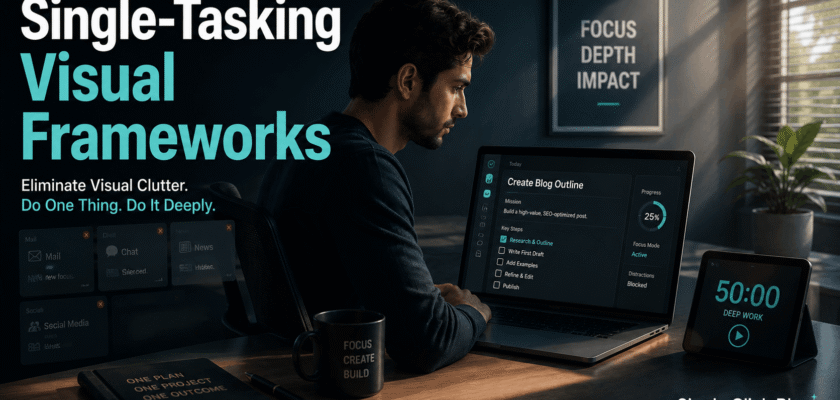
A single-tasking visual framework solves this problem by showing only the active work zone. It does not remove every tool. Instead, it hides non-essential windows until they are needed.
Therefore, the goal is not a plain empty desktop. The real goal is a controlled visual system where each task gets one clean stage.
| KEY TAKEAWAYA single-tasking visual framework turns the desktop into a focus board. It reduces visual noise, lowers context switching and helps solopreneurs complete one valuable task before opening the next one. |
Why Single-Tasking Visual Frameworks Help Organic Productivity
Productivity does not only depend on willpower. It also depends on what the eyes see all day. The American Psychological Association explains that switching between complex tasks can reduce productivity because the mind pays a switching cost.
Digital multitasking research also links frequent task switching with higher cognitive load. In simple words, every jump between tabs asks the brain to reload the goal, context and next step.
Because solopreneurs manage content, clients, sales, research and operations alone, the cost becomes larger. Moreover, every extra window can look like a small reminder of unfinished work.
That is why the visual setup matters. A cleaner screen can protect attention before discipline is even needed.
The Problem With Multi-Window Native Interfaces
Modern operating systems make it easy to open many apps at once. This is useful for some technical work. However, it can become harmful when every window remains visible during deep work.
Multi-window interfaces create three common problems. First, they keep old tasks in view. Second, they invite quick checking. Third, they turn the desktop into a small notification wall.
Microsoft’s Windows Focus feature is designed to reduce distractions and help users stay on task. This shows that the platform itself recognizes attention as a system-level problem.
However, built-in focus tools are only the start. Solopreneurs also need a repeatable framework for arranging work, not just muting alerts.
The Single-Tasking Visual Frameworks Method
A useful framework has three layers. The first layer is the active task. The second layer is support material. The third layer is parked work.
The active task stays in the center. Support material stays one click away. Parked work stays hidden until a scheduled review block. This simple structure prevents every task from fighting for attention.
For example, a writer may keep only the article draft open. Research notes can stay in a side file or second desktop. Email, analytics and social media should remain closed until the next admin block.
As a result, the screen starts matching the real priority instead of the full workload.
Layer 1: Active Work Zone
✓ Keep only one main app visible.
✓ Use full-screen or near full-screen mode.
✓ Hide dock, taskbar or sidebar icons when possible.
✓ Remove live dashboards during writing or planning.
✓ Keep the current task title visible at the top of the workspace.
Layer 2: Support Zone
✓ Keep notes, references or files in a separate desktop or minimized folder.
✓ Use one clean checklist instead of many sticky notes.
✓ Open support material only when the active task needs it.
✓ Close the support window again after the information is used.
Layer 3: Parked Work Zone
✓ Move future tasks to a task manager, not the desktop.
✓ Batch email, messages and analytics into planned blocks.
✓ Use a “later today” list for loose thoughts.
✓ Review parked work two or three times a day instead of all day.
Why Visual Clutter Feels So Heavy
Visual clutter is not just ugly. It can become a mental load. Health and design sources often describe clutter as a form of visual distraction that competes for attention.
For solopreneurs, digital clutter can be worse than physical clutter. A cluttered desktop may show files, tabs, half-written drafts, client notes and unpaid invoices together. Consequently, the brain keeps moving between action, worry and memory.
A single-tasking visual framework reduces this effect. It tells the brain, “This is the only work right now.” That message is simple, but it can be powerful.
| FOCUS DESIGN BOXDo not ask your brain to ignore ten visible tasks. Design the screen so only one task deserves attention. |
A 30-Minute Setup for Solopreneurs
✓ Create one desktop for deep work and one desktop for admin work.
✓ Move all random desktop files into one folder named Inbox.
✓ Pin only the three apps used every day.
✓ Turn off badges for email, chat and social apps.
✓ Create one daily focus board with three priority tasks.
✓ Use browser profiles for work, research and personal browsing.
✓ Set two fixed windows for checking messages.
✓ End the day by clearing the active work zone.
Best Use Cases for Single-Tasking Visual Frameworks
This method works well for writing, coding, video editing, sales planning, research, course creation and business strategy. These tasks need depth, not constant checking.
It also helps creators who feel busy but produce little finished work. When the workspace becomes simpler, unfinished work becomes harder to hide.
However, some jobs need live monitoring. In that case, the framework can still help by placing the monitoring tool in a separate scheduled zone.
Common Mistakes to Avoid
⚠ Keeping messaging apps open during deep work.
⚠ Using five dashboards to feel productive.
⚠ Saving important files on the desktop instead of a folder system.
⚠ Opening research tabs before defining the writing goal.
⚠ Checking analytics while creating content.
⚠ Treating every notification as urgent.
Simple Tools That Support the Framework
The best tool is the one that removes friction. A solopreneur can use built-in focus features, full-screen mode, virtual desktops, browser profiles and simple task boards.
Windows Focus Sessions can help users pick a task and reduce distractions. Meanwhile, Mac users can use Focus modes, Spaces and full-screen apps. Browser users can separate work profiles to prevent tab mixing.
Still, the tool is less important than the rule. One task gets the screen. Everything else waits.
Daily Single-Tasking Workflow
✓ Morning focus: Open only the main task and one support document.
✓ Midday admin: Check email, invoices, messages and calendar in one block.
✓ Creation block: Close dashboards and write, design, edit or build.
✓ Review block: Open analytics, notes and tomorrow’s plan.
✓ Shutdown: Clear the desktop and park unfinished tasks in a list.
Conclusion
Single-tasking visual frameworks give solopreneurs a practical way to protect attention. They do not require expensive software or a perfect routine.
The method is simple. Show one task, hide the rest and review parked work at planned times. Because the screen becomes calmer, the mind can settle faster.
In a work culture full of tabs, feeds and dashboards, a static focus setup can become a serious advantage. It helps high-output solopreneurs finish more by seeing less.
Frequently Asked Questions
Q. What are single-tasking visual frameworks?
They are workspace systems that show one active task at a time while hiding support work and future tasks.
Q. Do single-tasking visual frameworks improve productivity?
They can help by reducing visual clutter, task switching and decision fatigue.
Q. Are multi-window setups always bad?
No. They are useful for some jobs. However, they can hurt focus when every task stays visible during deep work.
Q. What is the easiest way to start?
Use full-screen mode, close extra tabs and create one separate desktop for admin work.
Q. Can solopreneurs use this with AI tools?
Yes. Keep the AI tool open only when it supports the current task. Otherwise, park it with other support tools.


