JoSAA Round 1 Seat Allocation Portal: What Students Must Do First
JoSAA Round 1 seat allocation portal traffic usually rises sharply after result release. Many students try to log in at the same time. This can create slow loading, failed sessions, payment lag or document-upload anxiety.
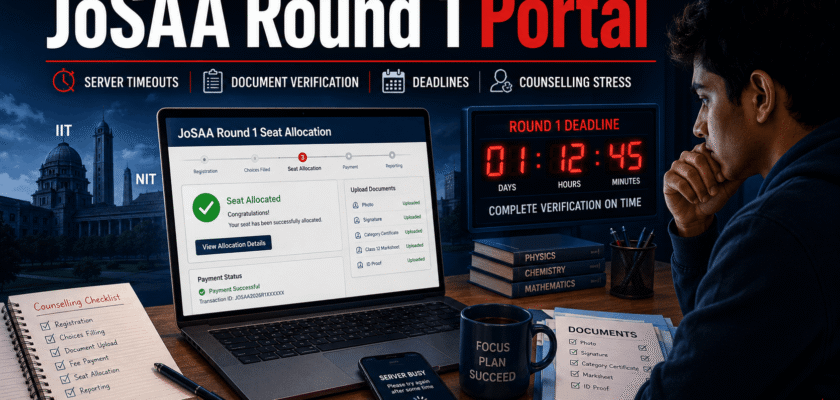
The first rule is simple. Do not panic. The Round 1 result is important, but the full online reporting process has a defined window. Students must use the official JoSAA portal, download the allotment details, pay the seat acceptance fee if applicable, upload documents and respond to any query before the deadline.
According to the official JoSAA 2026 schedule, Round 1 seat allocation was set for June 13, 2026 at 10:00 IST. The Round 1 online reporting window runs up to June 26, 2026 by 17:00 IST. Candidates must still act early because portal traffic, bank delay and document queries can consume time.
This guide explains safe fixes for server timeouts, step-by-step reporting, document verification and deadline protection.
| FAST ACTION BOXLog in early, download your allotment result, save screenshots, keep scanned documents ready, pay only through the official portal and check the query section daily until verification is complete. |
Why the Portal Feels Slow After Round 1
Result-day traffic is the biggest reason. Thousands of candidates, parents and coaching centres open the same portal at once. Some students refresh repeatedly, which can make sessions unstable.
Payment gateways can also slow down when many candidates start fee payment. Document uploads may fail if files are too large, poorly scanned or submitted through an unstable internet connection.
A timeout does not always mean that your seat is lost. It usually means the session expired or the portal could not complete the request at that moment.
Immediate Fixes for JoSAA Server Timeouts
✓ Use the official JoSAA website only. Avoid random result links shared on social media.
✓ Open the portal in one browser tab only. Multiple tabs can create session conflict.
✓ Use a desktop or laptop if possible. It is easier for document upload and payment tracking.
✓ Clear browser cache or open a private window if login keeps looping.
✓ Switch to a stable Wi-Fi or mobile hotspot if the page fails repeatedly.
✓ Do not refresh during payment. Wait for the gateway response.
✓ Keep payment proof, transaction ID and screenshots safely saved.
✓ Try again during lower-traffic hours if only result download is pending.
| PAYMENT SAFETY WARNINGNever pay from an unofficial link. If money is debited but the portal status does not update, keep proof and use the official fee-payment issue resolution window. JoSAA defines a payment attempt as upload of documents followed by clicking the Pay Seat Acceptance Fee button on the portal. |
Step-by-Step: How to Check Round 1 Seat Allocation
✓ Step 1: Visit the official JoSAA website and open the Round 1 Seat Allocation Result link.
✓ Step 2: Log in with the required candidate credentials. Keep application details ready.
✓ Step 3: View the allotted institute, academic program, category and seat type carefully.
✓ Step 4: Download or print the allotment letter and save a PDF copy.
✓ Step 5: Choose the correct willingness option after understanding Freeze, Float and Slide.
✓ Step 6: Complete fee payment, upload documents and check whether any query is raised.
✓ Step 7: Respond to queries before the deadline. Do not wait for the last hour.
Freeze, Float and Slide: Choose Carefully
| Option | Meaning | Use When |
| Freeze | You accept the allotted seat and do not want further upgrade. | You are fully satisfied with institute and branch. |
| Float | You accept the seat but want a better option higher in your preference list. | You are okay with current seat but want possible upgrade. |
| Slide | You accept the seat but want a better program in the same institute. | You like the institute but want a better branch there. |
Document Verification: The Deadline Trap
Many students think their work is over after paying the fee. That is a mistake. Online reporting also includes document upload and response to verification queries if the reporting officer asks for clarification.
Round 1 candidates should keep checking the portal after upload. If a query appears, reply before the deadline. Missing a query can create a bigger problem than a temporary server timeout.
The official schedule gives June 29, 2026 by 17:00 IST as the last day to respond to Round 1 queries. Fee-payment issue resolution for candidates who made payment attempts before the deadline is listed up to June 29 by 13:00 IST.
Documents Students Should Keep Ready
✓ JoSAA seat allotment letter.
✓ JEE Main or JEE Advanced rank card, as applicable.
✓ Class 10 certificate or date-of-birth proof.
✓ Class 12 mark sheet and passing certificate.
✓ Category certificate, if applicable.
✓ PwD certificate, if applicable.
✓ Photo ID proof.
✓ Passport-size photograph.
✓ Seat acceptance fee payment proof.
✓ Any additional document requested in the JoSAA portal.
What to Do If Document Upload Fails
✓ Rename files with simple English names, such as class12-marksheet.pdf.
✓ Compress PDFs, but keep text readable.
✓ Avoid blurry photos and cropped certificates.
✓ Upload one file at a time if the portal is slow.
✓ Check file format and size instructions before retrying.
✓ Use a laptop and stable internet for final upload.
✓ Take screenshots after successful submission.
Deadline Protection Plan for Parents and Students
Students should not treat the last day as the working day. The safer plan is to complete reporting at least 24 to 48 hours before the deadline.
Parents can help by preparing scanned documents, checking payment status and setting reminder alarms. Students should make the final academic decision after reading the allotment details carefully.
If the portal shows a query, answer it quickly. Keep checking status until the verification step is cleared.
| SAFE TIMELINEResult day: Download allotment and understand options. Same day or next day: upload documents and pay fee. After upload: check query status daily. Before deadline: confirm that fee and verification status are safely updated. |
Common Mistakes That Can Hurt Candidates
⚠ Waiting until the final hour for payment.
⚠ Using screenshots instead of official PDFs where certificates are required.
⚠ Uploading unreadable or incomplete documents.
⚠ Choosing Freeze, Float or Slide without understanding the meaning.
⚠ Not checking the query section after upload.
⚠ Relying on social media deadlines instead of the official JoSAA schedule.
⚠ Sharing password or OTP with strangers.
Cyber Safety on JoSAA Result Day
Result day also attracts fake links. Students should use only the official JoSAA website and official admission portals. JoSAA’s candidate login page advises candidates to protect passwords and says NIC or JoSAA does not ask for Login ID or password by email.
Do not share OTP, password or payment details with anyone. Avoid cyber cafe systems unless absolutely necessary. If you use a public system, log out and clear downloads before leaving.
What This Means for Engineering Aspirants
JoSAA counselling is not just a result download exercise. It is a time-bound admission workflow. A student must combine fast action with careful decision-making.
Round 1 is important because it starts the real reporting process. Even if a candidate expects an upgrade, the current seat must be handled correctly according to the rules.
The best strategy is simple. Stay calm, use the official portal, complete reporting early and keep proof for every action.
Conclusion
The JoSAA Round 1 seat allocation portal can feel stressful when traffic is high. Server timeouts, slow payment pages and document upload errors are common student concerns.
But most problems can be reduced with a clean browser session, stable internet, early reporting and careful document preparation.
Students should remember the most important point. The allotment result is only the start. The seat becomes safer only after fee payment, document upload, query response and verification steps are completed within the official deadline.
Frequently Asked Questions
Q. When was JoSAA 2026 Round 1 seat allocation scheduled?
The official JoSAA schedule lists Round 1 seat allocation on June 13, 2026 at 10:00 IST.
Q. What is the Round 1 online reporting deadline?
The official schedule lists Round 1 online reporting, fee payment, document upload and query response window up to June 26, 2026 by 17:00 IST.
Q. What should I do if the JoSAA portal times out?
Use one tab, clear cache, try a stable network and avoid refreshing during payment. Save screenshots and retry through the official portal.
Q. Is payment enough to confirm my seat?
No. Candidates must also upload documents and respond to verification queries if raised.
Q. What if payment is debited but status is not updated?
Keep transaction proof. JoSAA lists a fee-payment issue resolution window for candidates who made payment attempts before the deadline.


