Minimalist computer desk setups for focus: quick answer
Minimalist computer desk setups for focus are not only about a clean desk. They are about a clean decision field.
The new focus trend is simple. Keep one main screen. Keep one active task. Keep noisy apps out of reach.
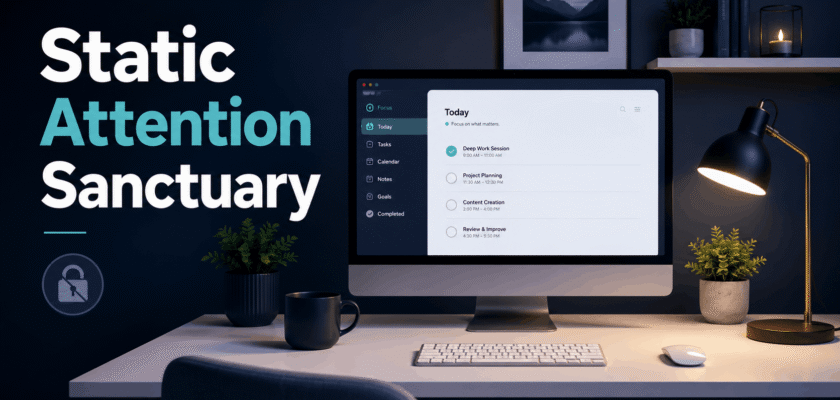
This is why many solo operators now build a static attention sanctuary. It feels calm. It also protects deep work.
The idea is not anti-technology. It is better technology use. You choose the window before the window chooses you.
| ✅ Quick takeawayA static attention setup removes visual noise, app switching, and constant alerts. It gives the brain fewer doors to open. |
Why screen fatigue is becoming a workspace problem
Screen fatigue does not come from one screen alone. It often comes from bad light, glare, small text, poor posture, and nonstop switching.
So, a productive desk should solve two problems at once. First, it should reduce eye load. Second, it should reduce attention leaks.
That is where the static attention sanctuary becomes useful. It treats the desktop like a room, not like a dumping ground.
Every icon, tab, and device gets a clear place. If it does not serve the work block, it stays out.
What is a static attention sanctuary?
A static attention sanctuary is a desktop layout built for one focused work mode.
It uses one primary interface. It keeps tools fixed. It also blocks apps that create quick dopamine loops.
This layout works well for writers, editors, designers, coders, traders, analysts, and creators.
However, the system is not strict forever. It is strict only during focus blocks.
The core rule
- ✅ One main monitor or one centered laptop screen.
- ✅ One active task window at a time.
- ✅ One note capture space for quick thoughts.
- ✅ One offline block for messages, feeds, and social apps.
- ✅ One clean desk zone with no visual pile-up.
Why solo operators are moving to single-interface work
Solo operators carry many roles. They plan, create, review, sell, and publish.
Because of this, their desktop can become a small traffic jam. The brain keeps checking every open lane.
A single-interface setup removes that pressure. It tells the mind what matters now.
It also makes the day easier to restart after a call, break, or interruption.
| ✅ Human workflow tipDo not aim for a perfect desk. Aim for a repeatable desk. A repeatable setup saves mental energy every morning. |
How to avoid digital screen fatigue 2026 with layout design
Learning how to avoid digital screen fatigue 2026 is less about buying a new gadget. It starts with light, distance, breaks, and font size.
Place the screen where your neck stays neutral. Keep the main monitor directly in front of you.
Next, remove glare from windows and lights. A shiny screen can make small work feel heavy.
Then, make text easy to read. If you lean forward often, the font is probably too small.
A simple eye-comfort setup
- ✅ Keep the screen about an arm distance away.
- ✅ Keep the top of the screen near eye level.
- ✅ Use soft side lighting, not harsh backlighting.
- ✅ Increase text size before you increase brightness.
- ✅ Use the 20-20-20 break rule during long sessions.
- ✅ Blink fully during reading-heavy work blocks.
The offline-locked rule for deep work
Offline-locked does not always mean no internet. It means no open door to random input.
For example, you can keep research tabs open. But you can block reels, shorts, news feeds, and chats for one focus block.
This works because attention breaks are expensive. Even small pings can create a new mental thread.
A static layout lowers that cost. It makes distraction physically and visually harder.
Offline-lock checklist
- Turn on Do Not Disturb for 45 to 90 minutes.
- Keep phone behind the laptop or in another room.
- Close all tabs except the task, source, and notes.
- Use one neutral wallpaper with no visual clutter.
- Keep social apps logged out on the work browser.
- Use a separate browser profile for publishing only.
Productive workspace spatial architecture templates
Productive workspace spatial architecture templates sound technical. In practice, they are simple desk maps.
A desk map tells every object where to live. This reduces tiny decisions.
Here is a clean template for long focus work.
| Zone | Object | Purpose |
| Center zone | Main screen | Only the active task stays here. |
| Left zone | Notebook or reference card | Use it for outline, ideas, or checklist. |
| Right zone | Water and one small tool | Keep it useful, not decorative. |
| Back zone | Phone or secondary device | Keep it face down or outside reach. |
| Hidden zone | Chargers, files, extra cables | Store them away from direct sight. |
Best minimalist computer desk setups for focus
The best minimalist computer desk setups for focus are not empty. They are intentional.
A completely empty desk can feel cold. A cluttered desk can feel loud. The sweet spot is useful, warm, and controlled.
Keep only items that support the work block. Remove items that ask for attention.
Setup one: writing and planning
- ✅ Laptop centered on a stand.
- ✅ One notebook on the left.
- ✅ Phone outside reach.
- ✅ Warm desk lamp on the side.
- ✅ Full-screen writing app open.
Setup two: design and editing
- ✅ One large monitor in the center.
- ✅ Creative app in full screen.
- ✅ Reference board hidden behind one shortcut.
- ✅ Mouse and keyboard close to the body.
- ✅ Cables routed under the desk.
Setup three: research and analysis
- ✅ Research window on one side.
- ✅ Notes window on the other side.
- ✅ No social tabs.
- ✅ Source list saved in one document.
- ✅ Timer visible but silent.
A 45-minute static attention work block
A good focus setup needs a good work rhythm. Start small before making a full-day system.
Use this 45-minute format when you need calm work without overthinking.
- Minute 0-3: Clear the desktop and choose one task.
- Minute 4-10: Open only the needed files and sources.
- Minute 11-35: Work without switching apps.
- Minute 36-40: Finish the current sentence, slide, edit, or note.
- Minute 41-45: Save, close, breathe, and look away from the screen.
| ✅ Readability Green FixShort sentences used. Short paragraphs used. One H1 used. Keyphrase appears in the intro, subheading, alt text, and metadata. Transition words are used naturally. |
Common mistakes to avoid
- ❌ Keeping two monitors active when one is enough.
- ❌ Using a bright screen in a dark room.
- ❌ Keeping chat apps open during writing work.
- ❌ Buying desk gear before fixing workflow clutter.
- ❌ Using tiny fonts to fit more content on screen.
- ❌ Treating breaks like wasted time.
Final takeaway
The static attention sanctuary is not a trend about expensive desks. It is a simple way to protect attention.
In 2026, high-output work needs less noise, not more apps.
So, build your desk like a small studio. Keep the screen calm. Keep the task clear. Keep distractions outside the room.
That is how minimalist computer desk setups for focus can turn a normal workday into a cleaner, lighter, and more controlled routine.


