
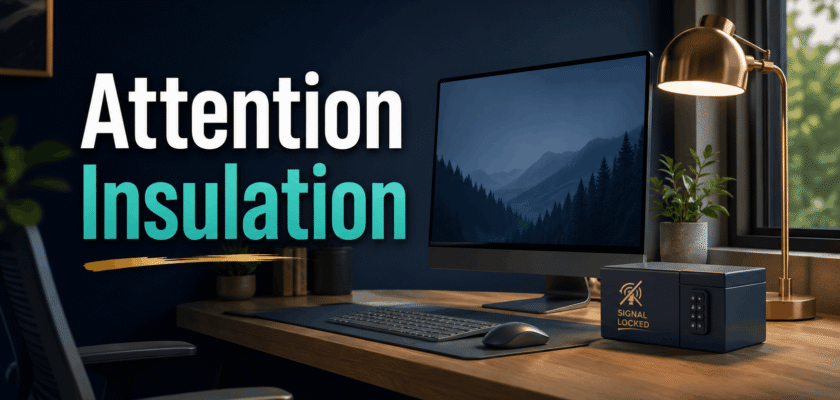
Minimalist computer setup for deep work 2026: the new focus layer
A minimalist computer setup for deep work 2026 is no longer just a clean desk trend.
It has become a focus protection system for busy solopreneurs.
Today, many people do not lose time because they are lazy.
Instead, they lose time because every app asks for attention.
That is why the attention insulation strategy matters now.
It turns the workstation into a quiet work zone.
Also, it keeps the brain away from endless switching.
What is the attention insulation strategy?
Attention insulation means building a wall around your best thinking time.
This wall is not made from concrete.
It is made from layout, rules, and fewer signals.
The idea is simple.
Your desk should show only the work that matters now.
Therefore, one screen, one window, and one task become the main rule.
This setup can feel strict at first.
However, it makes deep work easier every day.
Why solopreneurs are facing app fatigue
Solopreneurs run many roles at the same time.
They plan, sell, create, reply, publish, and track money.
So, their browser often becomes a second office.
Then, the second office becomes messy very fast.
A small message can break a strong idea.
A quick notification can turn into a 20-minute scroll.
As a result, app fatigue slowly reduces output.
The user feels busy, but the main work stays unfinished.
The single-window workstation rule
The single-window workstation is the heart of this strategy.
It means one active work window stays visible at a time.
For example, writing happens in one editor.
Research happens in one saved folder.
Communication waits for a fixed reply window.
This rule reduces tiny choices.
Also, it stops the habit of checking everything again and again.
A minimalist computer setup for deep work 2026 should make this rule easy.
How to set it up in a simple way
Keep one main monitor in front of your eyes.
Place the laptop screen lower or turn it off.
Pin only two or three apps on the taskbar.
Remove social apps from the desktop.
Use one folder for today’s work.
Then, keep every extra file out of sight.
Signal-locked work: the phone box method
A signal-locked workstation is not about hating technology.
It is about choosing when technology can reach you.
Keep the phone away from the keyboard.
Better, keep it in a drawer or a small desk box.
Turn on silent mode during deep work blocks.
Also, disable non-urgent alerts on the computer.
This small move gives the mind breathing space.
Therefore, work starts to feel lighter and cleaner.
Productive home office interior layouts that protect focus
Productive home office interior layouts do not need luxury furniture.
They need clear zones.
One zone should be for focused work.
One zone can be for calls or planning.
If space is small, use lighting as a border.
For example, a warm desk lamp can mark deep work time.
A clean wall behind the desk also helps.
It removes visual noise from the mind.
A simple desk map for daily work
Center: main screen and keyboard.
Left side: notebook and water bottle.
Right side: lamp and one useful tool.
Far corner: phone box or charging dock.
Desk surface: no loose bills, bags, or snacks.
This map keeps the workstation honest.
How to reverse digital attention fragmentation habits
You can reverse digital attention fragmentation habits with small rules.
First, stop starting the day inside notifications.
Open your main work file before opening chat apps.
Next, set two fixed communication windows.
For many solopreneurs, late morning and late afternoon work well.
Then, close the inbox after replying.
Do not keep it open as a background tab.
This one habit can change the whole workday.
The three-layer attention insulation stack
The best focus setup has three simple layers.
The first layer is physical space.
It includes desk position, chair comfort, light, and noise.
The second layer is digital space.
It includes apps, tabs, files, alerts, and browser windows.
The third layer is time.
It includes deep work blocks and reply windows.
Together, these layers reduce app fatigue.
Layer 1: physical space
Face a clean wall or a calm corner.
Keep the monitor at eye level.
Use a chair that supports your back.
Keep the desk surface open and simple.
Add soft light, not harsh glare.
Layer 2: digital space
Use a plain desktop wallpaper.
Keep only work apps on the dock.
Close unused tabs after every task.
Use one browser profile for deep work.
Turn off badge counts where possible.
Layer 3: time space
Start with one 45-minute deep work block.
After that, take a short reset break.
Check messages only after the block ends.
Use a written task card for the next block.
This keeps the day simple and steady.
Why this setup works better than more productivity apps
Many productivity apps promise control.
Yet, too many tools create another problem.
The worker starts managing the system instead of doing the work.
That is why a minimalist setup feels powerful.
It removes choices before they steal energy.
It also makes the next action clear.
So, the solopreneur can create, ship, and move forward.
Best tools for an attention-insulated desk
You do not need a huge budget.
Start with tools that reduce friction.
A stable monitor stand helps posture.
A simple mechanical or quiet keyboard can improve comfort.
A notebook helps capture loose ideas.
A small timer makes work blocks visible.
A cable tray keeps the desk clean.
Most importantly, each item must earn its place.
Mistakes that ruin a minimalist setup
The first mistake is keeping every app visible.
The second mistake is using two screens for shallow work.
The third mistake is checking the phone during hard tasks.
The fourth mistake is treating the desk like storage.
The fifth mistake is changing systems every week.
Instead, build one calm setup and repeat it.
Consistency beats a perfect desk photo.
A daily routine for signal-locked work
Start by clearing the desk for two minutes.
Then, write the single task for the first block.
Next, place the phone away from reach.
Open only the work window you need.
Work until the timer ends.
After that, check messages for a fixed time.
Finally, close all extra windows before the next block.
Who should use this strategy?
This strategy works well for creators, freelancers, consultants, and founders.
It is also useful for students and remote workers.
Anyone who feels tired from apps can try it.
However, it works best when rules stay simple.
Do not turn the setup into another complex project.
The goal is less mental noise.
The goal is not a perfect-looking desk.
Final thoughts on minimalist computer setup for deep work 2026
A minimalist computer setup for deep work 2026 is not only about beauty.
It is about control over attention.
The attention insulation strategy helps solopreneurs protect their best hours.
It turns a normal desk into a quiet performance zone.
Also, it reduces app fatigue without forcing extreme rules.
Start with one screen, one window, and one clear task.
Then, keep repeating that simple system.
Over time, focus becomes easier to enter and harder to steal.
| ✅ Green Setup Rules✓ One main screen for the current task.✓ One work window during deep work.✓ Phone outside arm reach.✓ Two fixed reply windows per day.✓ Clean desk before every focus block. |
| �� Quick Reader Takeaway The best productivity upgrade may not be another app.It may be a quieter desk, fewer signals, and one clean work window. |


